An AMR fleet management system coordinates autonomous mobile robots: it assigns tasks, manages traffic, monitors operations, and connects the fleet with WMS, MES, and ERP. Here is how it works, which features matter, and how to evaluate one.
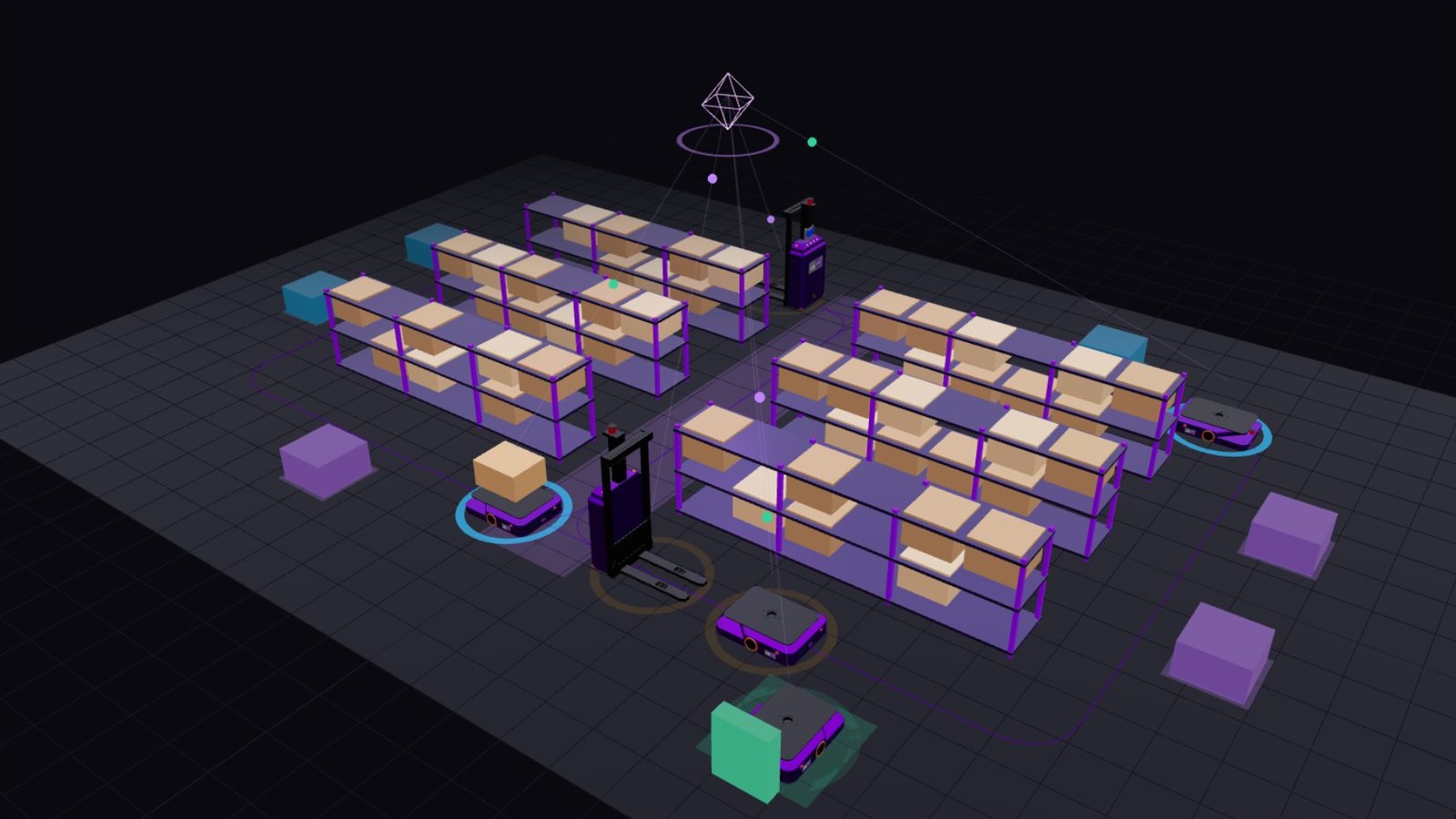
As warehouses and manufacturing facilities adopt more autonomous mobile robots (AMRs), managing individual robots is no longer enough. Businesses need a coordinated system that assigns tasks, monitors robot activity, manages traffic, and connects automated material handling with existing operational software.
An AMR fleet management system provides this centralized coordination layer. It helps multiple autonomous mobile robots work together within a shared operating environment while giving operators visibility into missions, robot status, and overall fleet performance.
For companies investing in warehouse automation, understanding how robot fleet management software works is essential to building an efficient, scalable, and reliable operation.
In this guide, we explain the core components of an AMR fleet management system, its most important features, how multi-robot coordination works, and what to consider when selecting a solution. Along the way, interactive simulations let you see each idea in action.
What Is an AMR Fleet Management System?
An AMR fleet management system is software that coordinates and supervises multiple autonomous mobile robots operating within a warehouse, factory, or distribution center.
Rather than requiring operators to manage every robot independently, the system provides a centralized way to assign transport missions, prioritize tasks, coordinate movement, monitor operational status, and exchange information with other business systems.
Depending on the platform, a fleet management system may support:
- Automated task assignment and dispatch.
- Robot status monitoring and mission tracking.
- Traffic coordination and congestion management.
- Fleet configuration and map management.
- Battery and charging coordination.
- Performance reporting and operational analytics.
- Integration with warehouse management systems (WMS), manufacturing execution systems (MES), and enterprise resource planning (ERP) platforms.
An important distinction is that fleet management software does not necessarily replace the onboard navigation and safety systems of each robot. The fleet manager coordinates operations across robots, while individual robots typically handle local navigation, localization, and obstacle avoidance through their own control systems.
Together, these components enable a group of robots to operate as part of a coordinated material handling workflow.
How Does Robot Fleet Management Software Work?
A typical AMR fleet management workflow connects operational requests, centralized decision-making, and robot-level execution.
Interactive · Mission workflow
From transport request to confirmed delivery
Follow one mission through the system. Each step highlights the components involved and an example of the message they exchange.
Layer 1
Enterprise & operational apps
Layer 2
Fleet management software
Layer 3
Robot control & navigation
Layer 4
Physical infrastructure
Step 1 of 5
Request
A WMS, MES, ERP or operator creates a transport request with the pickup, destination, priority and load requirements.
POST /missions
{ "from": "RCV-02", "to": "LINE-07", "load": "pallet", "priority": "high" }
1. Receiving transport requests
A transport request may originate from a WMS, MES, ERP system, operator interface, or another connected application.
For example, a manufacturing facility may need to move a pallet from a receiving area to a production line. The request contains information such as the pickup location, destination, priority, and relevant load requirements.
2. Assigning the right robot
The fleet management system evaluates available robots and assigns a suitable vehicle to the task.
Depending on the implementation, selection criteria may include:
- Robot availability and current mission.
- Payload and equipment compatibility.
- Distance to the pickup location.
- Battery status and charging requirements.
- Task priority and delivery deadlines.
- Traffic conditions and operational constraints.
The goal is not simply to choose the nearest robot. It is to select a robot that can complete the task efficiently within the constraints of the entire operation.
Interactive · Task allocation
Which robot should take this mission?
A transport request arrives at the pickup point. Compare a naive “nearest idle robot” rule with a fleet manager that also checks payload, battery reserve, availability and the deadline. Change the load or priority, or click anywhere on the floor plan to move the pickup point.
Click to move pickup
The fleet manager selects AMR-05: it reaches the pickup in about 20 s and finishes the mission with 50% battery. AMR-01 is closer, but it is not a valid choice for this mission.
| Robot | Capacity | Battery → after mission | Time to pickup | Result |
|---|---|---|---|---|
| AMR-01 | 300 kg | 18% → 0% | 7 s | Ends at 0%: below reserve |
| AMR-02 | 1,000 kg | 86% → 53% | 36 s | Higher total cost |
| AMR-03Busy 35 s | 300 kg | 64% → 38% | 51 s | Higher total cost |
| AMR-04 | 1,000 kg | 92% → 55% | 47 s | Higher total cost |
| AMR-05 | 300 kg | 77% → 50% | 20 s | Selected |
3. Coordinating robot movement
Once a mission is assigned, the fleet manager coordinates traffic and resource usage across the operating area.
It may manage access to narrow passages, coordinate movement through intersections, or sequence arrivals at shared pickup and drop-off stations. Individual robots continue to execute their own navigation and obstacle avoidance functions.
This coordination becomes particularly important when multiple robots share the same routes or work near people and other equipment.
4. Monitoring execution
The system receives status updates from robots and tracks mission progress.
Operators can use a centralized interface to identify robots that are moving, waiting, charging, completing a task, or reporting an error, depending on the platform's supported status information.
When a robot becomes unavailable or a mission encounters an exception, operators can investigate and take appropriate action.
5. Updating operational systems
After a transport mission is completed, the fleet management system can communicate the result to connected applications.
For example, a WMS may update an internal transport workflow, while an MES may use completion information to coordinate production material replenishment.
The exact information exchanged depends on the integration architecture and the capabilities of the connected systems.
Key Features of an AMR Fleet Management System
Not all robot fleet management platforms provide the same capabilities. When evaluating a solution, businesses should focus on the features that directly support their material handling processes.
1. Intelligent task allocation and dispatch
Task allocation determines which robot should execute each transport request and when the mission should begin.
A capable fleet manager can evaluate robot availability, task priority, travel distance, and equipment requirements to make appropriate assignment decisions.
For example, a warehouse operating several AMRs may need to deliver materials to different production stations. The system can distribute available tasks among eligible robots rather than allowing all requests to compete without coordination.
Effective dispatch helps reduce unnecessary travel, improve resource utilization, and support more consistent material flow.
2. Multi-robot coordination
Multi-robot coordination allows several AMRs to operate within the same facility without treating every robot as an independent system.
The fleet manager considers shared routes, workstations, traffic restrictions, and mission dependencies when coordinating robot activities.
This is particularly useful in facilities where robots frequently cross paths, share loading stations, or transport materials between interconnected work areas.
As the fleet grows, coordination becomes increasingly important because a decision that benefits one robot may create delays for others.
3. AMR traffic management and congestion control
Traffic management helps coordinate robot movement in shared operating spaces.
Common capabilities may include:
- Managing access to constrained routes.
- Coordinating robot movement at intersections.
- Reserving shared resources or work areas.
- Applying route and speed restrictions.
- Replanning or adjusting missions when operating conditions change.
Consider a narrow warehouse aisle where two robots need to travel in opposite directions. A fleet traffic controller may coordinate access to the aisle to reduce unnecessary waiting or conflicting movement.
Traffic management should complement, not replace, the robot's onboard safety functions and site-level risk controls.
The simulation below runs two identical fleets side by side on the same stream of requests. Watch the narrow aisles: without coordination, robots meet head-on and have to back off; with path reservations, one robot waits briefly at the entrance while the other passes.
Interactive simulation
Same robots, same orders: with and without a fleet manager
Both warehouses receive the identical stream of transport requests. On the left, each request goes to the nearest free robot, and robots rely only on their onboard obstacle avoidance. On the right, a fleet manager checks battery levels before dispatching, sequences arrivals at shared stations and reserves path segments in space and time, so robots never meet head-on in a narrow aisle.
Without fleet management
Nearest-robot dispatch · onboard avoidance only
Waiting requests0
With fleet management
Eligibility checks · station sequencing · path reservations
Waiting requests0
| Without | With | |
|---|---|---|
| Missions completed | 1 | 1 |
| Avg. request-to-delivery time | 30 s | 30 s |
| Share of robot time spent waiting | 0% | 0% |
| Traffic standoffs (blocked ≥ 4 s) | 0 | 0 |
| Missions aborted for low battery | 0 | 0 |
- Moving
- At station
- Waiting
- Charging
- Idle
- Carrying load
- Planned route (dashed = reserved)
Simplified grid model for illustration: one cell per second, identical robots, randomly generated requests. It shows how coordination changes fleet behaviour, not the performance of any specific product or site. Press Reset to try a different request stream.
4. Real-time fleet monitoring
A centralized dashboard gives operators visibility into the status of the robot fleet.
Depending on the software, the interface may display robot locations, active missions, battery levels, task queues, fault notifications, and other operational information.
This visibility helps teams identify bottlenecks, investigate delays, and respond to exceptions without checking each robot separately.
For larger facilities, role-based access, event histories, and clear alert prioritization can also help make fleet operations easier to manage.
5. Battery and charging management
Battery availability can influence fleet productivity, especially in facilities operating multiple shifts.
Fleet management software may monitor battery levels, coordinate charging requests, or incorporate charging requirements into task assignment decisions.
For example, a robot with insufficient battery capacity for an upcoming mission may be directed toward charging rather than being assigned a task it cannot complete reliably.
The objective is to balance immediate transport demand with the need to maintain sufficient robot availability throughout the operating schedule.
6. Performance analytics and reporting
Operational data helps businesses understand whether their automation system is meeting its intended objectives.
Useful performance indicators may include:
- Missions completed per shift.
- Average mission completion time.
- Robot utilization.
- Waiting and idle time.
- Mission failure rates.
- Charging time and energy usage.
- Unplanned downtime.
- Transport request completion rates.
These metrics should be interpreted in context. For example, a high utilization rate is not necessarily optimal if robots are frequently congested or the operation lacks sufficient spare capacity.
Reliable reporting should help teams identify root causes and improve the entire material handling process, rather than focusing on robot movement alone.
7. Integration with WMS, MES, and ERP systems
An AMR fleet management system becomes more valuable when it can exchange information with the software already running the facility.
A WMS may generate transport requests based on warehouse activities. An MES may coordinate material delivery to production lines. An ERP system may provide broader business and inventory context.
Integration connects these processes with the physical movement of materials.
When evaluating integration capabilities, consider API availability, supported communication protocols, task status reporting, error handling, security controls, and compatibility with existing workflows.
For facilities that use robots from multiple manufacturers, interoperability standards and clearly defined interfaces may also reduce the complexity of integrating different systems.
For a practical example of WMS and AMR integration, see how a mixed AGV/AMR fleet was connected to a warehouse management system for automated mission generation in our automotive case study.
AMR Fleet Management System Architecture
A typical architecture consists of four functional layers.
Interactive · System architecture
Four layers, one connected workflow
Requests flow down from business systems to the robots; status and completion data flow back up. Select a layer to see what it is responsible for.
Layer 1
Enterprise & operational apps
Layer 2
Fleet management software
Layer 3
Robot control & navigation
Layer 4
Physical infrastructure
Layer 2
Fleet management software
The coordination point between business applications and the robot fleet.
- Maintain the mission queue and assign eligible robots
- Coordinate shared aisles, intersections and stations
- Monitor execution, battery levels and exceptions
- Report results back to connected systems
- Requests and commands Status and confirmations
Layer 1: Enterprise and operational applications
This layer includes systems such as WMS, MES, ERP, production scheduling applications, and operator-facing tools.
These systems generate transport requests and provide the business context for material movement.
Layer 2: Fleet management software
The fleet management layer receives requests, maintains mission queues, assigns eligible robots, coordinates shared resources, and monitors mission execution.
It acts as the operational coordination point between business applications and the robot fleet.
Layer 3: Robot control and navigation
Each AMR uses its onboard control software to execute assigned movements, localize itself, plan navigation, and respond to obstacles.
The exact division of responsibilities between fleet software and robot controllers depends on the robot platform and integration design. Our comparison of AMR navigation systems explains the main localization approaches in more detail.
Layer 4: Physical infrastructure and equipment
The physical layer includes AMRs, charging stations, pickup and drop-off points, conveyors, elevators, doors, and other connected equipment.
Successful deployment requires the software to work with the actual facility layout, network conditions, equipment interfaces, and operating procedures.
How the layers work together
A production system requests a material delivery. The fleet manager receives the request and selects an appropriate robot. The robot travels to the pickup point, transports the material, and reports mission progress. Once delivery is confirmed, the relevant systems receive the completion status.
This architecture allows material handling tasks to become part of a connected operational workflow instead of remaining isolated robot movements.
Benefits of an AMR Fleet Management System
Improved fleet utilization
Coordinated task allocation can help reduce unnecessary movement and distribute work more effectively among available robots.
The actual improvement depends on task demand, fleet size, route design, robot capabilities, and the quality of the dispatch strategy.
More consistent material flow
Traffic coordination and mission scheduling help reduce avoidable conflicts between robots sharing the same operating area.
This can support more predictable transport operations and more consistent replenishment of production or warehouse workstations.
Greater operational visibility
Centralized monitoring gives operators a clearer view of active missions, robot availability, and operational exceptions.
This makes it easier to investigate delays and identify recurring problems.
Easier expansion
A well-designed fleet management architecture can provide a structured way to add robots, introduce new transport workflows, and connect additional operational systems.
Scalability still depends on the software architecture, infrastructure capacity, robot compatibility, and deployment requirements.
Better data-driven decisions
Performance reports help warehouse and manufacturing teams evaluate actual system behavior, identify bottlenecks, and prioritize operational improvements.
These insights are most useful when combined with clearly defined business objectives and reliable baseline measurements.
AMR Fleet Management System vs. Individual Robot Control
Individual robot control and fleet management serve related but different purposes.
| Aspect | Individual robot control | Fleet management |
|---|---|---|
| Scope | One robot | All robots in the operating area |
| Main focus | Navigation, localization, motion control | Task assignment, scheduling, shared resources |
| Obstacle handling | Local detection and avoidance | Coordinating access to aisles, intersections and stations |
| Visibility | The robot's own state | Missions, robot status and fleet-wide performance |
| Integration | Robot-level interfaces | WMS, MES, ERP and facility equipment |
For example, one AMR may be able to navigate a warehouse independently. However, when several robots must share narrow aisles, serve the same workstations, and meet competing delivery priorities, a fleet management layer can coordinate their activities.
The two capabilities work together: onboard control enables each robot to perform its mission, while fleet management helps organize the overall operation.
How to Choose the Right AMR Fleet Management Software
Before selecting a platform, evaluate the following considerations.
1. Compatibility with your robots
Confirm which robot models, controllers, and communication interfaces are supported. If your facility uses multiple robot types, determine whether they can be coordinated through one platform.
2. Traffic management capabilities
Evaluate how the system handles narrow aisles, intersections, shared workstations, and changing traffic conditions.
Use representative operating scenarios rather than relying only on feature descriptions.
3. Integration requirements
Document how transport requests will be created, updated, cancelled, and confirmed. Verify the interfaces required to connect your WMS, MES, ERP, and other equipment.
4. Monitoring and analytics
Determine which operational metrics are available, how historical data is stored, and whether reports support the decisions your operations team needs to make.
5. Scalability and reliability
Assess expected fleet size, concurrent missions, network requirements, fault recovery, system availability, and support procedures.
Ask how the platform behaves when a robot, network connection, or connected system becomes unavailable.
6. Implementation and support
Consider site assessment, mapping, system configuration, integration testing, operator training, commissioning, and ongoing technical support.
A platform's suitability depends on both its software capabilities and the quality of the implementation.
Frequently Asked Questions
What is an AMR fleet management system?
An AMR fleet management system is software that coordinates multiple autonomous mobile robots by managing tasks, monitoring operations, and coordinating traffic and shared resources.
Is robot fleet management software the same as an AMR operating system?
No. A robot's onboard software typically handles local navigation and control, while fleet management software coordinates missions and operations across multiple robots. The exact division of responsibilities varies by platform.
Can one fleet management system control different AMR models?
Some platforms support multiple robot models or manufacturers, while others are designed for specific robot ecosystems. Compatibility depends on supported interfaces, protocols, robot capabilities, and integration requirements.
Does an AMR fleet management system integrate with a WMS?
Many fleet management systems support WMS integration through APIs or other interfaces. The integration should define how tasks are submitted, how status updates are communicated, and how exceptions are handled.
How many robots can one fleet management system manage?
There is no universal limit. Capacity depends on the software architecture, supported robot interfaces, mission complexity, network infrastructure, and operational workload. Businesses should validate the expected fleet size under realistic operating conditions.
How can businesses measure fleet management performance?
Useful measures include mission completion time, completed missions per shift, robot utilization, waiting time, congestion, mission failure rates, and unplanned downtime. Metrics should be compared against a documented baseline and evaluated alongside service and safety requirements.
Conclusion: Build a More Coordinated AMR Fleet
An AMR fleet management system is an important component of warehouse and manufacturing automation. By coordinating task allocation, robot traffic, operational monitoring, and system integration, it helps businesses manage material movement as a connected process.
The right solution should fit the facility's workflows, robot ecosystem, integration requirements, and future growth plans. Careful evaluation and performance measurement are essential to achieving the intended operational benefits.
Saigon Dynamics develops autonomous mobile robots and fleet management software for warehouse and industrial applications. Explore the Fleet Control Center (FCC) to learn how centralized fleet coordination can support your automation strategy, browse our AMR solutions, or contact the Saigon Dynamics team to discuss your operational requirements.